

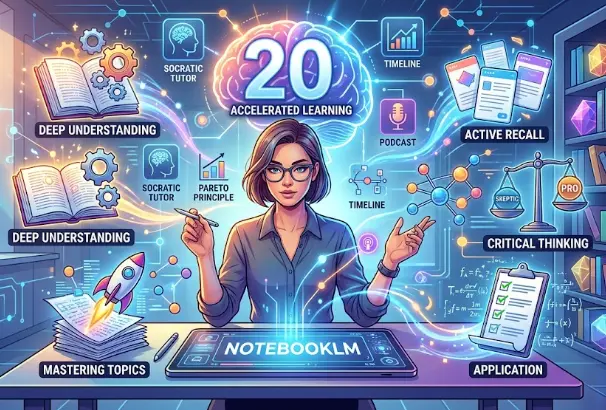
In the era of information overload, the challenge is no longer finding data, but synthesizing it. Google’s NotebookLM has emerged as a game-changer for researchers, students, and lifelong learners. Unlike traditional AI, NotebookLM is grounded in your specific sources, making it a “private expert” on any topic you provide.
To help you unlock its full potential, we have curated 20 essential prompts designed to accelerate your learning, improve retention, and foster critical thinking.
Category 1: Deep Understanding & Mental Models
These prompts help you break down complex ideas into their most fundamental components.
- The Feynman Technique: “Explain the core concept of these documents as if you were teaching it to a beginner. Identify any gaps in the logic that I should revisit.”
- The Socratic Tutor: “Act as a Socratic tutor. Ask me a series of challenging questions based on these sources to test if I truly understand the underlying principles.”
- ELI5 (Explain Like I’m 5): “Summarize the most complex technical sections of this text into simple, everyday language and analogies.”
- The Pareto Principle (80/20 Rule): “Identify the 20% of the information in these documents that will provide 80% of the understanding of this topic.”
- Mental Model Mapping: “Relate the concepts in this notebook to existing mental models (e.g., First Principles, Second-Order Thinking, or Opportunity Cost).”
Category 2: Synthesis & Connection
Use these prompts to find hidden patterns and link disparate pieces of information.
- The Connection Maker: “How does the theory in Source A contradict or support the practical evidence presented in Source B?”
- Concept Comparison: “Create a table comparing the three main arguments found across all sources, highlighting their strengths and weaknesses.”
- The Blind Spot Detector: “Based on the information provided, what critical questions are left unanswered? What is missing from this perspective?”
- Timeline Visualizer: “Synthesize the historical data across these documents into a chronological timeline of key events.”
- The Executive Briefing: “Condense all the sources into a one-page briefing document for a high-level executive who has only five minutes to read it.”
Category 3: Active Recall & Exam Prep
Stop passive reading and start active testing.
- Anki Flashcard Generator: “Extract the top 15 key terms and definitions from these sources and format them as front-to-back flashcards.”
- The ‘Hard Mode’ Quiz: “Create a 10-question multiple-choice quiz that focuses on the nuances and details of the text, not just the surface-level facts.”
- Fill-in-the-Blanks: “Generate a summary of the main chapter but leave blanks for key technical terms. Provide an answer key at the bottom.”
- Case Study Simulation: “Based on these sources, create a hypothetical ‘real-world’ scenario where I must apply these concepts to solve a problem.”
- The Memory Palace Guide: “Help me organize the 10 most important points from this notebook into a ‘Memory Palace’ structure for better long-term recall.”
Category 4: Critical Thinking & Application
Move from ‘knowing’ to ‘doing’ and ‘analyzing.’
- The Debate Partner: “Play the role of a skeptic. Critique the main thesis of these documents and provide three counter-arguments based on the text.”
- Actionable Checklist: “Turn the theories and strategies mentioned in these sources into a step-by-step actionable checklist for [specific project/goal].”
- The Pre-Mortem: “Assuming the project/concept described in these sources fails, use the text to explain three potential reasons why that might happen.”
- Glossary of Jargon: “Identify every technical term or acronym in these sources and create a simplified glossary with context-specific examples.”
- The Podcast Script: “Create a script for a 10-minute educational podcast episode that covers the most exciting and impactful findings from this notebook.”
Conclusion
NotebookLM is more than a summarizer; it is a cognitive amplifier. By using these 20 prompts, you move away from rote memorization and toward active mastery. Whether you are preparing for an exam, writing a research paper, or learning a new skill, these “power prompts” will ensure that you don’t just read the information—you own it.


